Quote rejection reason confirmation prompt
Moderate Upgrade
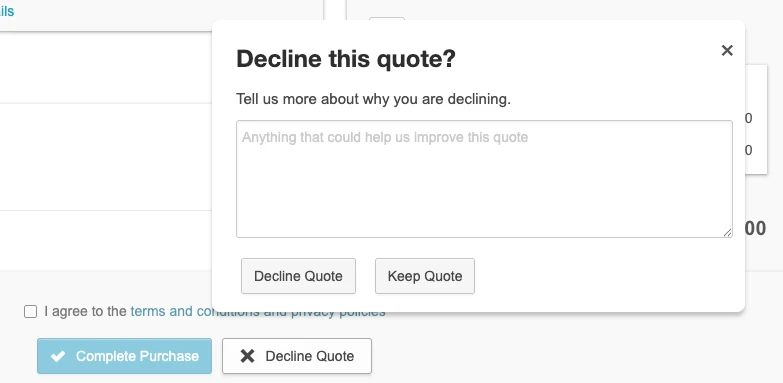
With this release, declining a quote on the customer portal can require a rejection reason through a confirmation popup before the action completes. Marketplace Managers can enable this behavior through a new marketplace setting under Assisted sales, replacing the need for engineering-level configuration. This helps prevent accidental quote rejections that previously required manual recreation of products, pricing, and contract terms.
UI updates
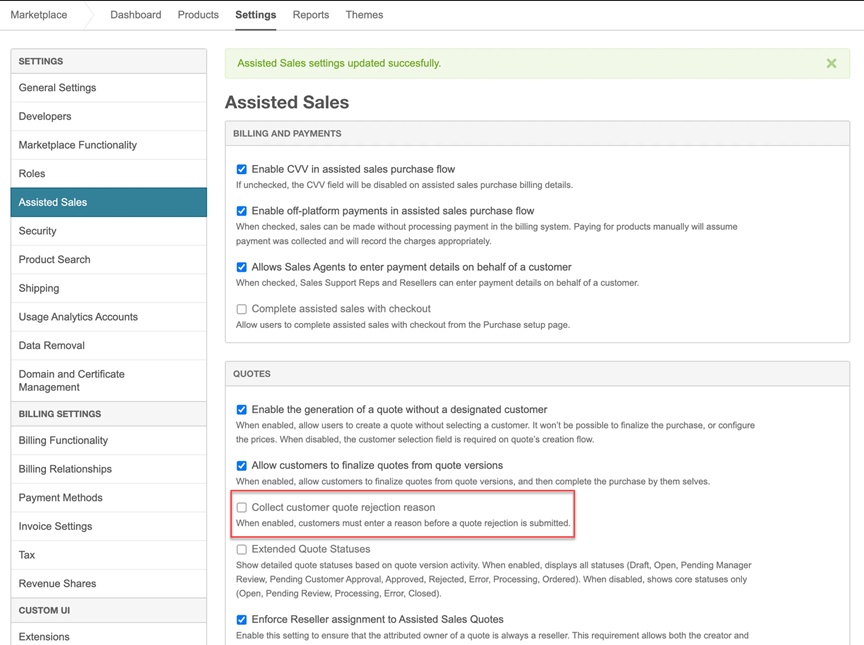
- Marketplace settings > Assisted sales > Quote — A new setting lets Marketplace Managers enable the rejection reason confirmation prompt.
- Quote version > Decline quotes — When the setting is enabled, users see a confirmation popover with a text field for the rejection reason before the decline action completes.
Feature enablement
This feature is enabled by default.
Setting enablement
The rejection reason confirmation setting is disabled by default. Marketplace Managers must enable it under Marketplace settings > Assisted sales > Quote to show the prompt when users decline quotes. Rejection reasons are saved in the existing comment audit trail.
Documentation
Documentation will be updated with the release.
Was this page helpful?
Tell us more…
Help us improve our content. Responses are anonymous.
Thanks
We appreciate your feedback!